
Magnifique for Mac
Free, for Apple Silicon Macs. The same launcher as on Android handhelds, with your controller, your games and RetroArch.
Download
- Macs
- Apple Silicon (M1 and later)
- macOS
- macOS 13 (Ventura) or later, tested on macOS 26
Magnifique for Mac isn't out yet. Its download will be here when it is.
No games or emulators are included. Download Magnifique only from magnifiquelauncher.com.
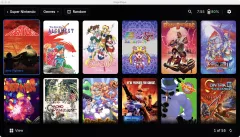
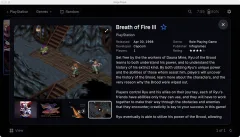
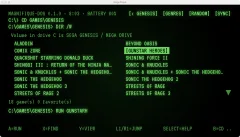
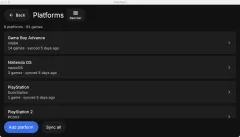
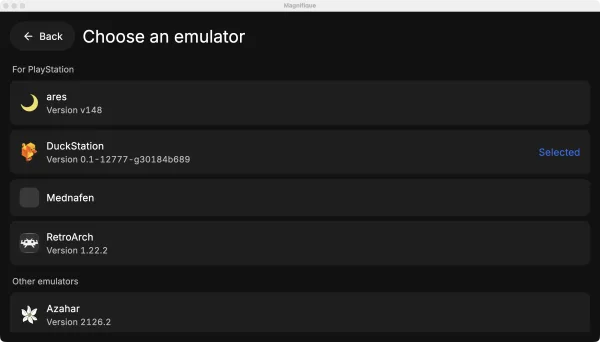
Finds your emulators
Magnifique finds RetroArch and the other Mac emulators it knows, 32 in all, in Applications or installed with Homebrew, and shows each with its icon and version where it has one.
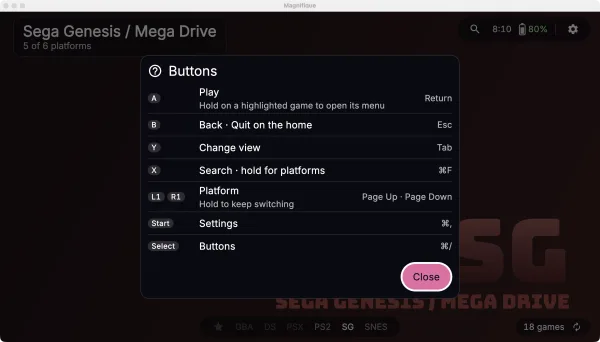
Your controller or the keyboard
Use a controller, or the keyboard and mouse. The Buttons window lists what every button does, with its key.
Opening Magnifique the first time
Magnifique isn't notarized by Apple, so the first time you open it, macOS stops it and asks you to confirm. You only need to do this once, and again after installing an update.
On macOS 15 and later
- Open the downloaded disk image and drag Magnifique into Applications.
- Open Magnifique. macOS says “Magnifique” Not Opened. Click Done.
- Open System Settings, choose Privacy & Security, and scroll down to Security. Next to “Magnifique” was blocked to protect your Mac, click Open Anyway. The button is there for about an hour after you try to open the app.
- Click Open Anyway in the window that appears and enter your Mac's password. Magnifique opens, and macOS remembers your choice.
On macOS 13 and 14
Control-click Magnifique in Applications, choose Open, then click Open again.
Why it isn't notarized
Notarizing needs a paid Apple developer membership, and Magnifique for Mac is free. These steps are the ones Apple gives for any app it hasn't checked. Apple's own guide: Safely open apps on your Mac.
Getting started on a Mac
- Install RetroArch, or the emulators you use, from their own websites. Magnifique finds them in Applications or Homebrew.
- Open Magnifique and follow the first steps.
- Add your game folders, one per platform.
- Let it sync: covers, details and video clips arrive from ScreenScraper and SteamGridDB.
- Connect a controller, or use the keyboard and mouse.
- Press A on a game to play it.
See which emulators Magnifique can start on the Emulators page.